Platform tour

Everything training touches, in one connected system.

Courses, microlearning, documents, classrooms, on-the-job sign-offs, communications, forms, and reporting — each strong on its own, and every one feeding the same canonical record of who knows what.

The learner experience

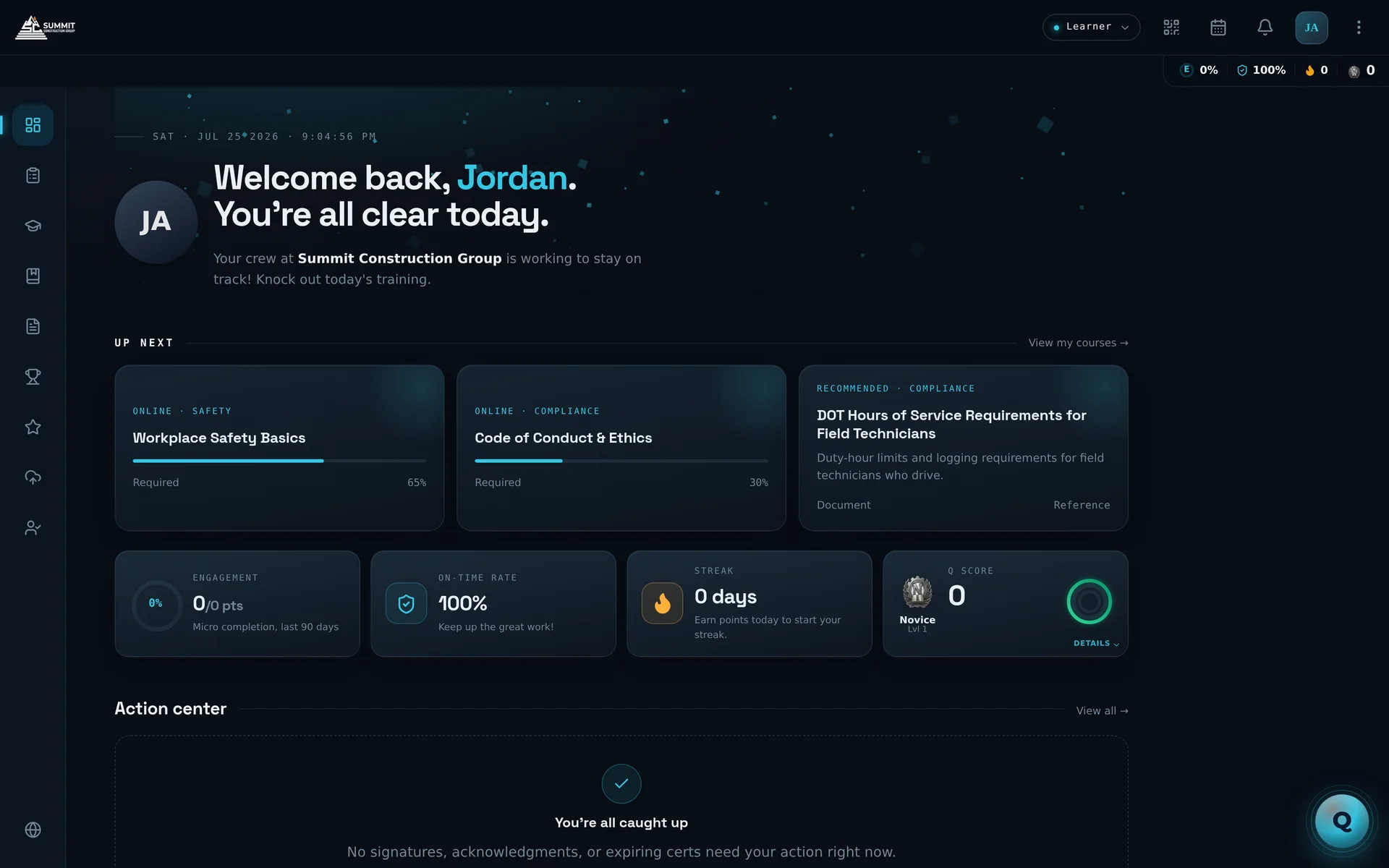
A home screen that says exactly one thing: what's next.

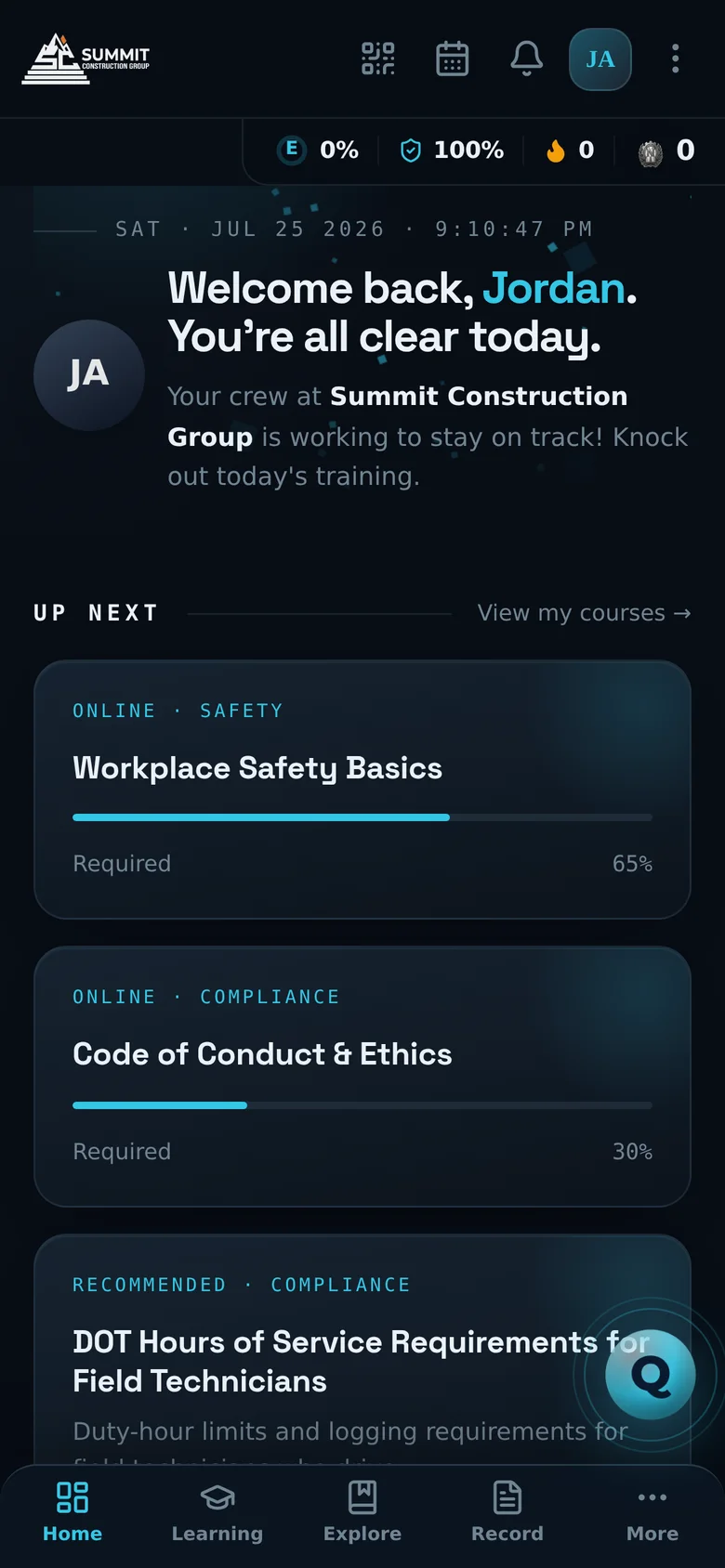
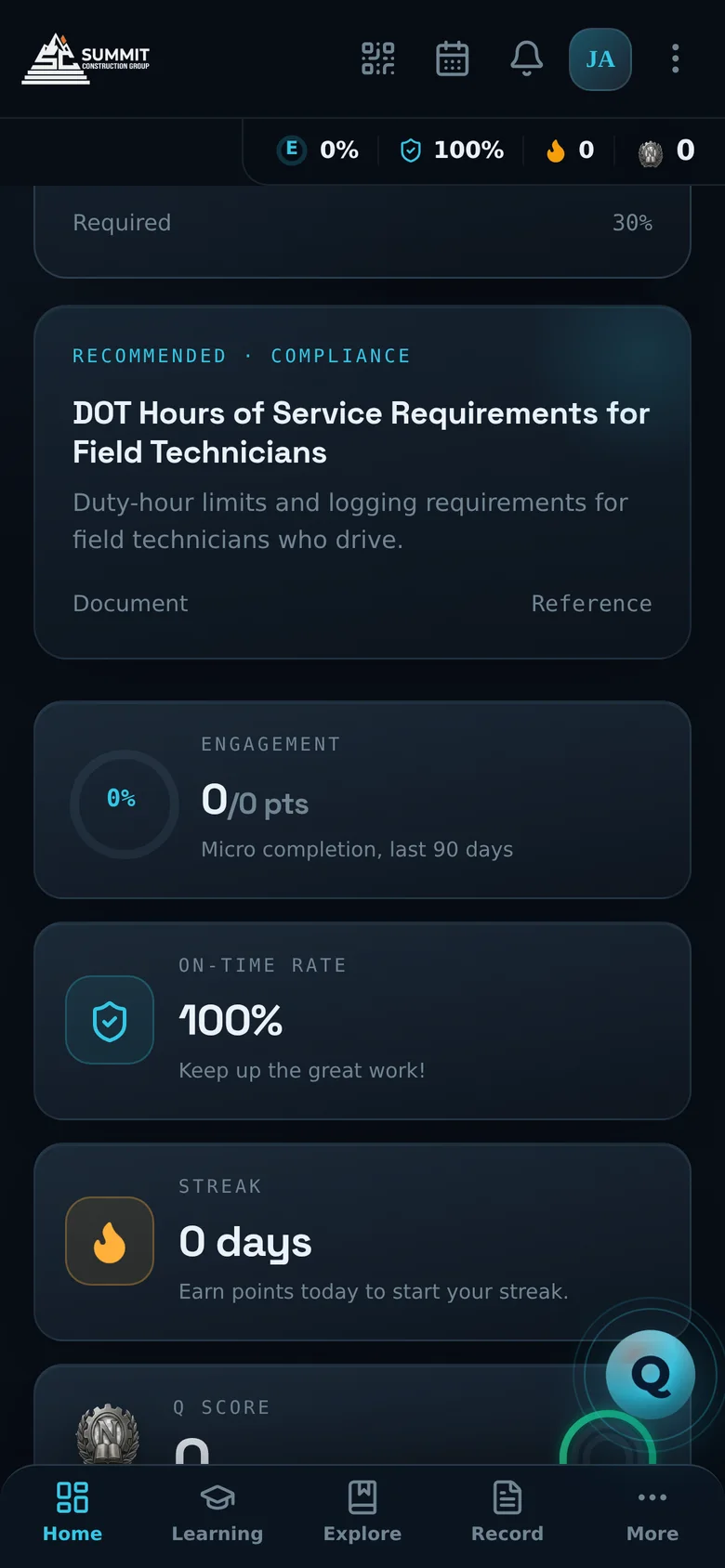
Learners land on a focused, dark, distraction-free home. Anything due today — a course, a form, a micro — sits front and center in Due Now; everything else queues in Up Next. And Q is one tap away, on every screen.

  • Due Now, then Up Next — today's obligations first, then required training ordered by what actually matters.
  • Action center built in — signatures, acknowledgments, and expiring certs surface right on the home screen.
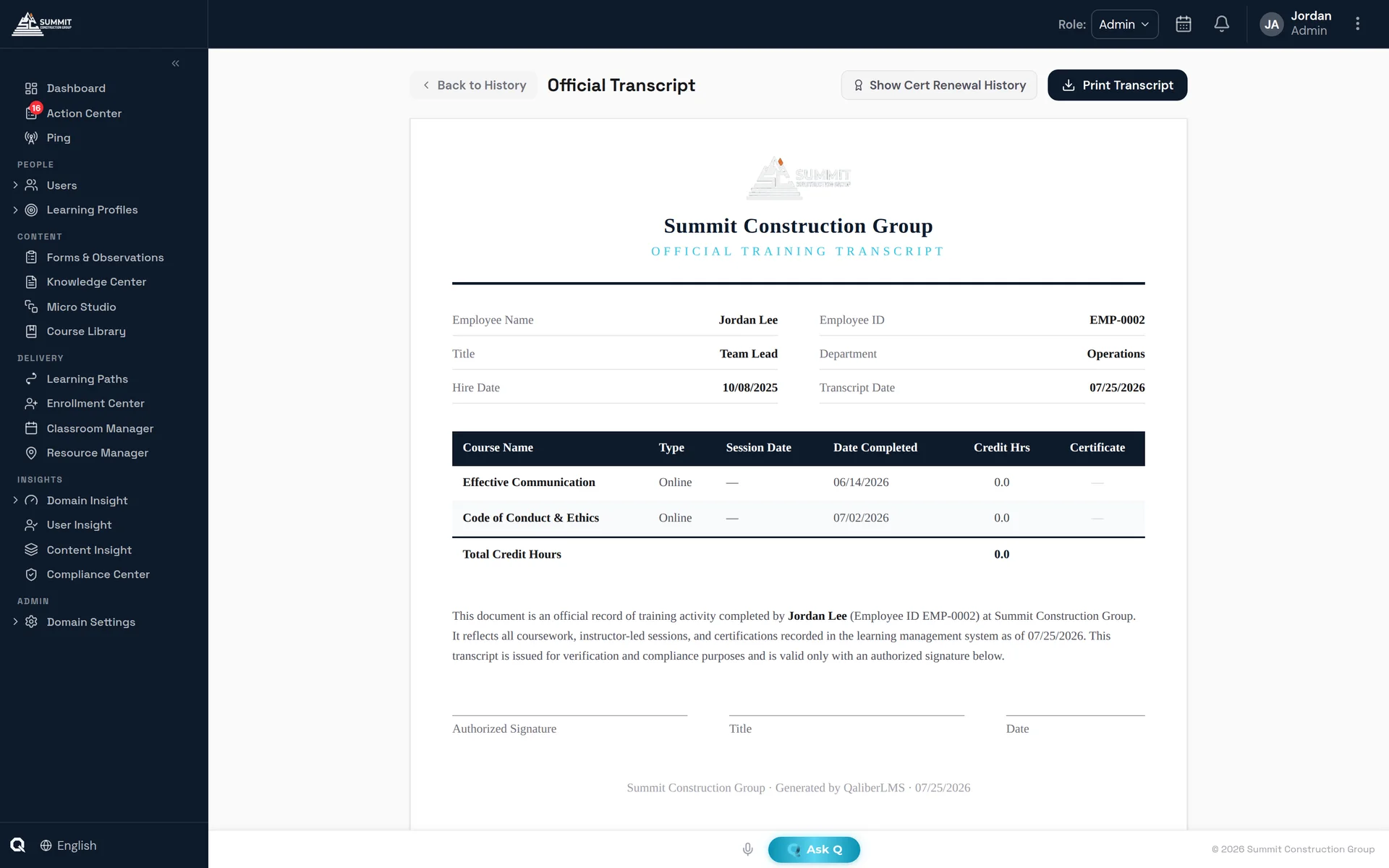
  • Full record, one tap — learning history, official transcript, certificates, and external licenses.
Learner Home — Up Next
Learner home screen with Due Now cards and Up Next feed
My Learning & Explore

Assigned work and self-serve growth, side by side.

My Learning tracks the learner's plan — courses, microlearnings, paths, and forms with live status. Explore opens the catalog for self-enrollment, with flip-card browsing, live classroom seat counts, and session pinning at enroll time.

  • Real session picking — learners choose an actual session with seats-remaining counts, not a vague waitlist.
  • Provenance on every record — see who enrolled you: self, manager, admin, or automation.
  • Never stranded — if a session is cancelled, a re-pick task routes automatically to whoever enrolled the learner.
My Learning
My Learning view with enrolled courses and progress
Authoring & content types

Every kind of content. One connected system.

Online courses (with SCORM 1.2/2004 both ways), classroom and virtual sessions, documents, Pulse microlearning, and Forms & Observations for on-the-job sign-offs and recorded job tasks — every content type is first-class, built in the same five-step wizard family, and feeds the same record. When you'd rather describe than build, Build with Q generates the whole course.

Rich module system

Freeform text, video, audio, PDF with in-document annotation, presentations, images, links — plus interactive Matching, Hotspot, Sequencing, Scenario, and Flashcards.

Assessments that hold up

Quizzes with explanations, reviewer-led practical assessments for OJT, compound pass rules — complete required modules and clear a score threshold.

Automation rules per course

On enroll, completion, failure, or overdue: notify, auto-enroll into the next course, push a refresher micro 30 days later, or share a document — every dispatch logged.

Pulse — microlearning

A delivery engine, not just short content.

Pulses are 2–5 minute learning units delivered at the moment of need or on a cadence. Behind them sits a real engine that decides what each person gets, when, and why — and can show its work.

  • Programs, Tracks, Collections, Campaigns, Spotlights — from standing schedules to time-boxed pushes that bypass the daily cap.
  • Respectful by default — elective caps, quiet hours, send-time optimization, and decay for ignored content. Mandatory always delivers.
  • Auditable selection — every delivered pulse stores its "why this item" score breakdown. If nothing fits, the engine logs a content gap instead of forcing a bad match.
Micro Studio
Micro Studio microlearning workspace
Knowledge Center

Your policies aren't files in a folder anymore.

The Knowledge Center is the company's official document library — managed, delivered, acknowledged, and audit-ready. Everything published is automatically indexed so Q can answer questions from it, with citations.

  • Legally defensible acknowledgment — timestamped signatures with name, date, document version, and IP; republishing resets the slate and archives prior records.
  • Approval workflow & flagging — multi-stage review gates publishing; workers can flag outdated or hazardous content straight to the assigned reviewer.
  • Read-time gating on mobile — the "I Acknowledge" button unlocks only after a minimum read time, and dwell is logged.
Knowledge Center
Knowledge Center document library
Classroom, virtual & on-the-job

Instructor-led training that never strands a learner.

Full ILT operations — scheduling, rosters, attendance, live engagement — with the industry's most humane cancellation flow: cancel a session and every affected learner automatically gets a re-pick task routed to whoever enrolled them.

  • LIVE Push — the classroom, made dynamic. The instructor drives content to every student's device in real time: run a pre-test with instant feedback, push assignments mid-class, send a reading assignment, collect and grade student screen recordings, launch polls and moderated Q&A — all saved to the session record.
  • Instructor sign-off closes sessions — not the calendar — with a grading-outstanding check before completion.
  • One-click Teams & Zoom — virtual sessions with a self-verifying test connection.
  • OJT as a first-class citizen — mentor assignment, time/wait modules that space work over real days, practical assessments, and overdue escalation that nudges the mentor until it's done.
Classroom Manager
Classroom Manager session operations
Enrollment Center

Enrollment that runs on rules, not spreadsheets.

Enroll a person, a team, a job title, or an audience rule — into a course, a path, or a pinned classroom session. Hard or recommended prerequisites are enforced server-side, and idempotent path enrollment wires the whole sequence in one action.

See auto-assignment by Learning Profile
Enrollment Center
Enrollment Center
Action Center

Everything waiting on you, finished in one place.

One universal work queue per user — learner, manager, instructor, admin. Fourteen item types, from document sign-offs and content approvals to license expirations, form reviews, manual grading, and OJT mentor steps. The object renders inside the row — the PDF, the submission, the license image — with the decision buttons right there.

  • Complete inline — no hunting through module-specific queues.
  • Live badge counts and saved filter presets keep the queue honest.
Action Center
Action Center universal work queue

Ping Center — say it once, know it landed

Ephemeral one-shot messages from leaders to teams: acknowledge, dismiss, or one reply — then it closes itself. Critical priority forces app + SMS + email, and a live tracker shows exactly who's seen it.

Forms & Observations — content for the work itself

A first-class content type for on-the-job training and recorded job tasks: inspections, observations, attestations, incident reports. Deliver on a schedule or event-triggered, and let Q Review read every submission the moment it lands so humans review only exceptions.

Rewards & Recognition — development and recognition, one platform

Learning earns points and spendable digital currency; managers reward and recognize great work through the same system. Ranks, badges, streaks, and a Rewards Shop — every point earned by doing the work.

Insight & reporting

From boardroom verdict to a single quiz answer.

Domain Insight gives leadership KPIs against targets you set. User Insight shows one person's complete timeline — including the questions they asked Q and the answers they got. Content Insight breaks a course down to per-question performance.

  • Governed warehouse — every fact ties to one canonical person; slice by team, department, division, manager, or any custom field.
  • Built-in report sources — learning records, compliance summary, cert expiry, license tracker, document acknowledgments, assessment scores — plus a no-code builder with save, share, and scheduled email delivery.
  • BI-ready — read-only, token-scoped OData datasets for Power BI and Tableau.
User Insight
User Insight per-person drill-down
Mobile

Same power. Pocket-sized.

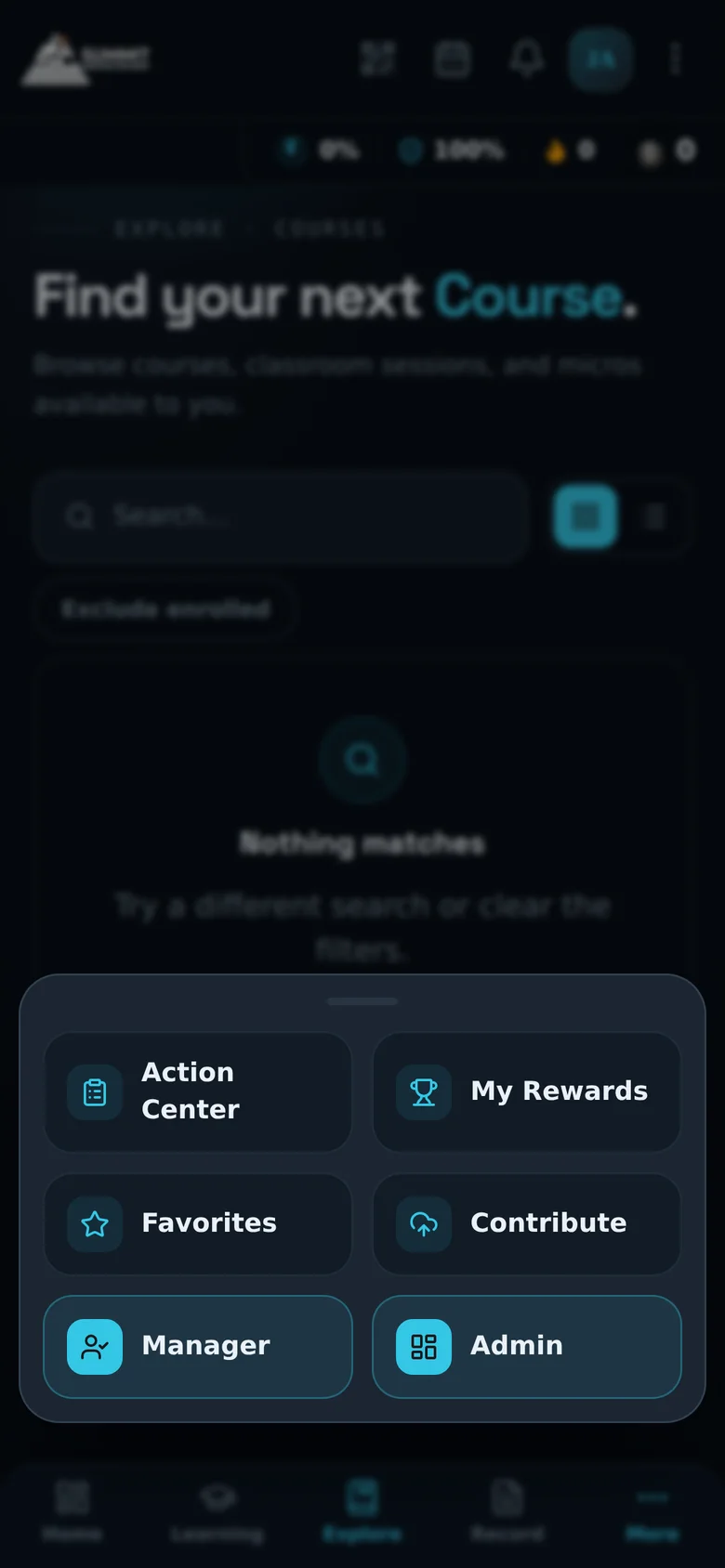
The mobile experience is designed native — card layouts, bottom sheets, a 9:16 vertical player — not a shrunken desktop. And it's not just for learners: managers and admins switch into their modes on the same phone.

  • In-app document viewer with dwell tracking and read-time-gated acknowledgment.
  • Drawn signatures, voice input, QR check-in — built for gloves-off moments on real job sites.
  • Manager & Admin modes — approve, enroll, ping, and read insight from the field.
Mobile Up Next feed
Mobile course catalog
The admin foundation

Boring in the best possible way.

People & custom fields

  • CSV import up to 500 users with validation preview; HRIS sync; SCIM 2.0
  • Unlimited custom fields that instantly become columns, filters, and report dimensions
  • Bulk actions with typed-CONFIRM gates on anything destructive
  • Read-only "View As" impersonation for support diagnosis

Multi-tenant & branding

  • Domain → sub-domain hierarchy with database-level isolation
  • Per-tenant branding flowing into portal and certificates
  • Opt-in compliance roll-up from child domains
  • Any industry built out automatically — taxonomy seeded on day one, merge never overwrite

Records that survive scrutiny

  • Tamper-proof branded certificates with renewal chains
  • Archive keeps history intact; hard delete is gated and deliberate
  • Completion history and current status tracked as separate facts — built for recertification
  • Per-field audit log recording who, what, from, to, and how

The tour is better when it's your data.

In a live demo we'll load your org chart, your job titles, and one of your real SOPs — and show you the system running on your world.

Request a demo
Continue the tour
Meet Q — the AI