Engineered with AI — not enhanced by it
Every employee gets the answer the moment they ask.
Every competitor claims to be built on AI, so the claim alone is worth nothing. This page makes no claim. It shows the work, and you can test every part of it.
The difference
Most assistants explain how to schedule a class. Q schedules it.
An assistant added on
- Answers questions about the product.
- Returns a help article and a list of steps.
- Hands you back to the screen to do the work.
- Reads content. Cannot change a record.
- Impressive in a demonstration, unused by the third week.
- Priced as an add-on, so the intelligence stops where the license stops.
An assistant that is the system
- Performs the action, in the product, on your authority.
- Shows exactly what it is about to do, in full, before doing it.
- It then waits, and nothing is changed until you say so.
- Handles the administrative work you would otherwise do by hand.
- Works from a phone, in an airport, or on-site on Sunday.
- Included throughout, so no capability is behind a separate license or a usage budget.
From the product
The panel itself.
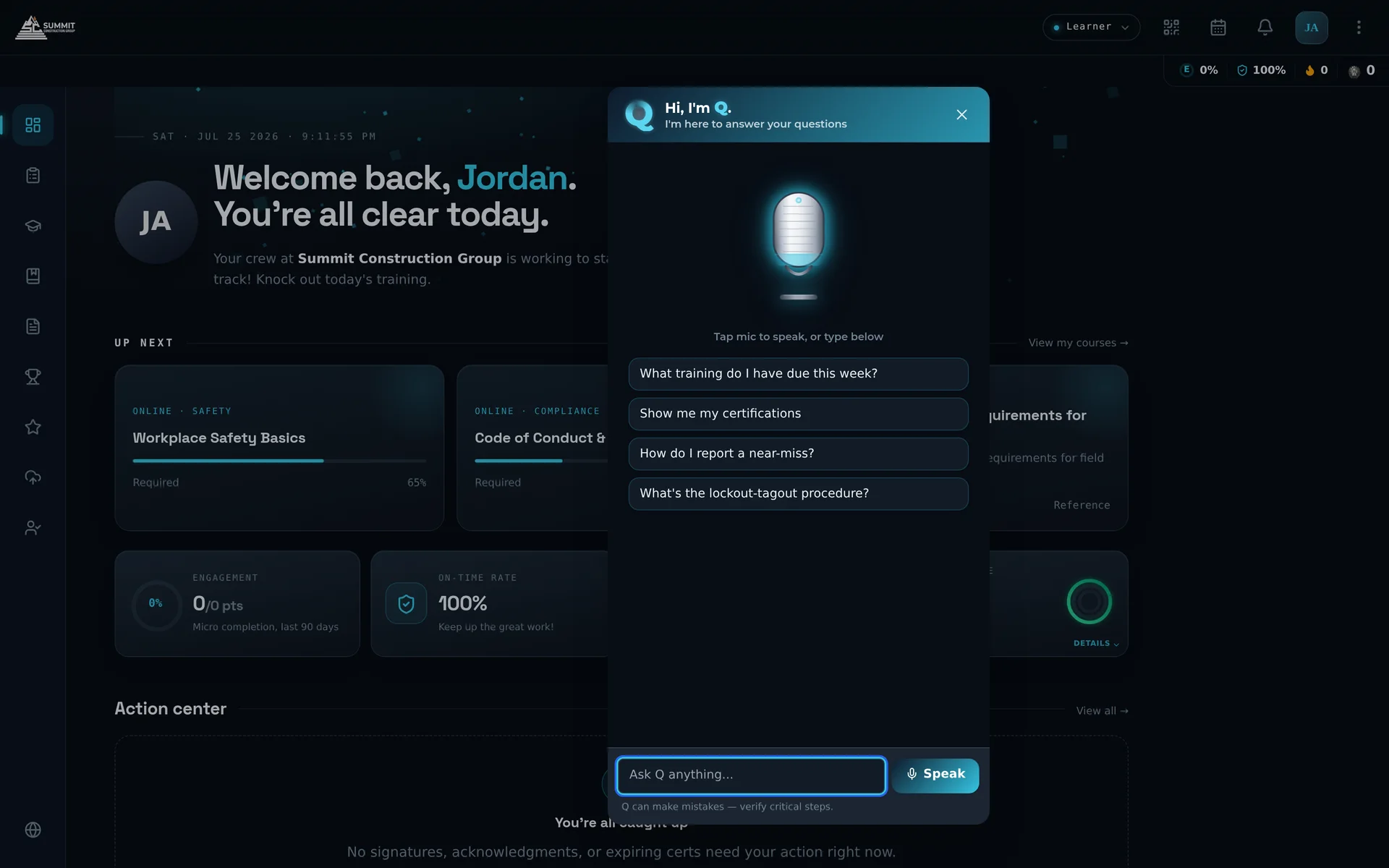
Ask Q as it ships — microphone, suggested questions, and a place to type.
The demonstration
Available on every screen, and able to act on what you ask.
Q names the document and the version, states exactly what it is about to do, and waits for your yes — nothing sends until you confirm.
What Q can doShows the plan firstAvailable on
Schedule or cancel a sessionYesWeb and mobile
Register or withdraw an employeeYesWeb and mobile
Assign a learning pathYesWeb and mobile
Assign a mentor to on-the-job trainingYesWeb and mobile
Open or close a remediationYesWeb and mobile
Send a submission for reviewYesWeb and mobile
Publish a company-wide messageYesWeb and mobile
Run and send a reportYesWeb and mobile
On the floor
Every question a learner answers for themselves is one an administrator never sees.
"What have I got coming up, and what do I need to bring?"
Powered Truck Operator recertification — due March 14. Classroom, Room B-2, 09:00.
Bring photo ID and your current operator card.
Introduction to B2B SaaS Sales — online, due today.
Answered from your own record. Nothing to confirm.
Open the course →
Add to my calendar →
"Put me in the March 14 session."
Confirm action
- Enroll you in Powered Truck Operator Recertification, Thursday, March 14, 09:00.
ConfirmCancel
Nothing is changed until you confirm.
When a learner asks a question, Q answers it immediately from their own record. When they ask for an action — an enrollment, a schedule change — Q presents the plan and waits for their confirmation, exactly as it does for an administrator. Every request a learner resolves this way is one that never became a ticket, an email, or an interruption for your administrative team.
Try it
Ask the questions yourself.
This is a scripted demonstration with sample data, and it behaves the way the product does: answers name their source, and any action that would change a record stops and waits for your confirmation.
Everywhere else
The same intelligence, applied to less visible work.
Reading your documents
So an employee gets the answer from page 34, not a link to the whole procedure.
Structuring a contribution
So an experienced employee can speak for ninety seconds and publish something worth reading.
Checking submissions
So a failed inspection reaches a named person in the same minute it was filed.
Drafting content
So the course that has not existed for three years exists this afternoon.
Assigning by rule
So a new hire’s training profile builds itself from job title, history and team.
Answering with the report
So nobody has to become an analyst to learn what they already suspected.
Building the learning plans
So every employee in the company has a plan matched to their role, without an administrator building each one by hand.
Teaching an interactive curriculum
So a course can be taught by an AI instructor that presents, questions and responds — on the shift no instructor covers.
Grading student entries
So written answers and submitted work are graded on arrival, and an instructor reviews results rather than a stack of entries.
Scheduling and enrolling, automatically
So classroom sessions fill with the people who need them, scheduled and enrolled without a coordinator.