
12 · AI answers from company documents
Instant answers for every learner.
Ask Q is the AI assistant built into QaliberLMS, available on every screen to every person. Learners ask in plain language and get an answer in seconds, drawn first from your published policies, courses and documents and then from the web, with the source named. When they ask Q to take an action, Q confirms it with them first.
The problem
Most workplace questions are small: what’s due, where the class is, what the policy says. Each one still costs an interruption, whether that means pulling a supervisor aside, opening a ticket or waiting until tomorrow for an answer.
Compared
What you get elsewhere, and what you get here.
What you get elsewhere
- A help center to search, and a FAQ nobody maintains.
- A chatbot that points at articles instead of answering.
- Answers from the open internet, blind to what your company actually requires.
- For anything beyond the basics, the learner has to wait for a person.
- No record that the question was ever asked, or answered.
What you get from Qaliber
- Plain-language answers in seconds, drawn first from your published courses, policies and documents and then from the web, with the source named on every answer.
- Everyday questions answered instantly, such as what’s due, when a certification renews, what to bring to class and where it’s held. Learners can launch the course straight from the answer.
- When Q isn’t certain, it says so and refers the question to a person. It doesn’t guess.
- When a learner asks to enroll, drop an optional course or join a waitlist, Q states exactly what it will do and waits for confirmation.
- Each question a learner answers with Q means one fewer ticket, email or interruption.
- Available on every screen, web and mobile, with a microphone and suggested questions for people who prefer to speak.
- Inside a course, QCoach knows exactly which lesson the learner is on and how they’re progressing. Beyond answering questions, it asks its own and prompts discussion to check real understanding.
Shown
See it working.
Answers come from your organization’s published content first, then from the web, with the source named. Any action waits until the learner confirms it.
From the product
The screens your team would work in.
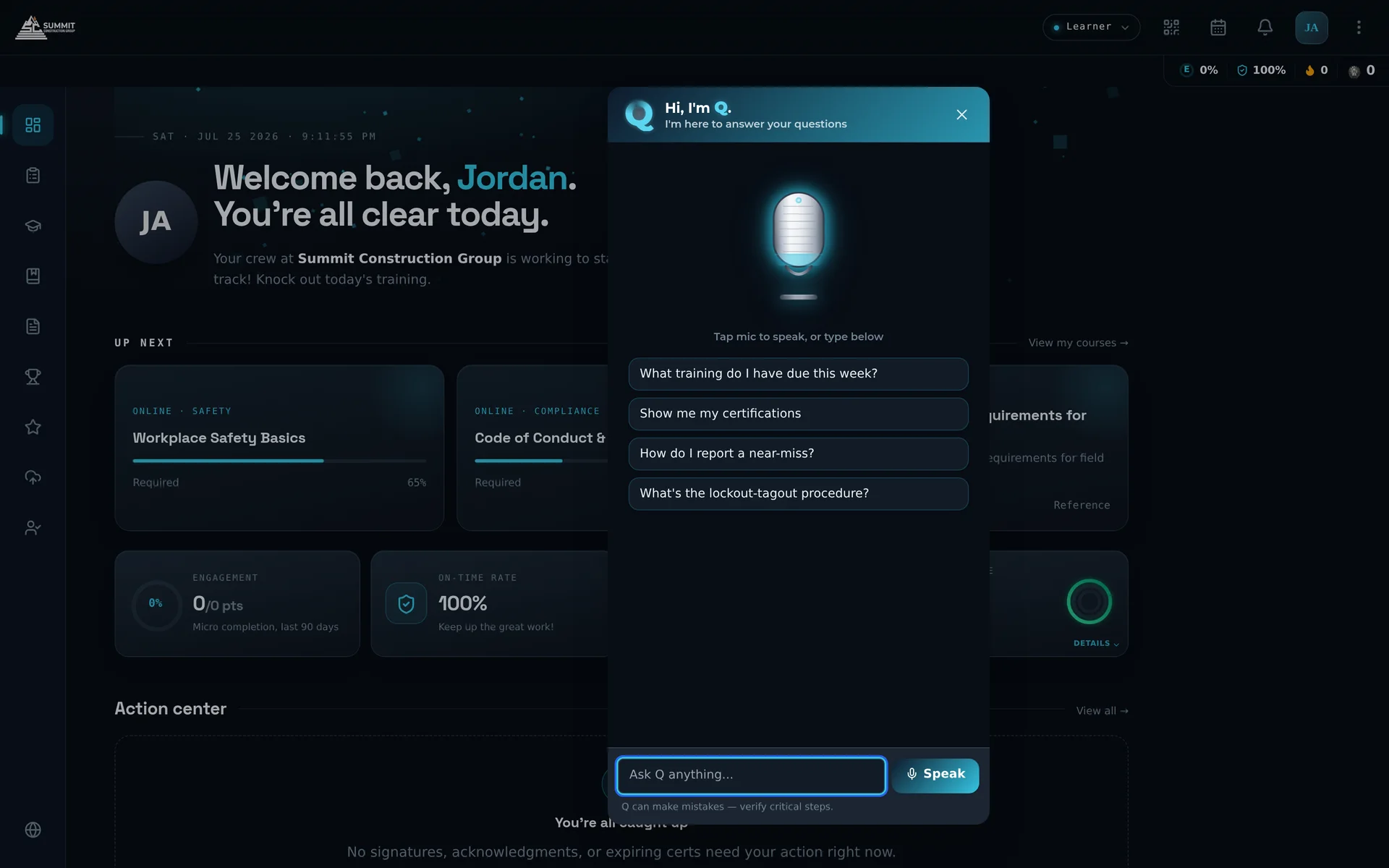
Ask Q as it ships — microphone, suggested questions, and a place to type.
"Every question a learner answers through Q gives an administrator time back."
Ask Q, in one sentence
Included
What's included.
On every screen
The cyan Q button follows each person across web and mobile, wherever they are in the system.
Sources named
Every answer says where it came from, and the original is one tap away.
Actions, confirmed first
Q states exactly what it will do and acts once the person confirms.
Honest about uncertainty
When Q can't verify an answer, it says what it checked, labels anything from the web with a link, and passes the gap to your admins.
For administrators too
The same AI handles day-to-day administrative work, as shown on the Built on AI page.
Easy from the first question
Ask in plain language, the way you'd ask a colleague, and get a plain answer.
QCoach, inside the course
QCoach is the same Q, aware of the course content. It knows which lesson a learner is on and how they’re progressing, so it asks questions and prompts discussion on its own.
FAQ
Questions buyers ask.
Where do Ask Q's answers come from?
Ask Q searches your organization's published documents, courses and microlearning first and names the source. When a question goes beyond your content, Q searches the web, and those answers are labeled as web answers, with links.
Does Ask Q respect permissions?
Yes. It draws only on documents the person asking is allowed to see, within your own organization.
Can people use Ask Q by voice?
Yes. Tap the microphone to talk with Q in live voice mode, on desktop or phone.
What languages does Ask Q answer in?
It replies in the language of the question.